Every major TYPO3 version upgrade since 2015 has required a near-complete rebuild — and organizations that have done it twice already are not doing it a third time. Here is why they are moving to WordPress, and what a proper migration actually involves.
What TYPO3 Users Are Saying
TYPO3 has a 0.4% global CMS market share. It is strongest in German-speaking countries, the Netherlands, and France. In most of the world, TYPO3 expertise is scarce, expensive, and concentrated in a small developer community. The complaints that surface across forums, review sites, and developer discussions are remarkably consistent.

TYPO3 might be a better built barebone system but development is too expensive. Nobody wants to pay for something they can get for free. That is the big reason why TYPO3 is failing.
Developer community thread, t3planet.de, December 2025
The first major roadblock encountered is documentation, which is sprawling, conflicting, and language barriered. To compete with other CMS, we need to have clear, concise, and consolidated documentation that explicitly indicates the recommended way to do things.
TYPO3 community member, t3planet.de
TYPO3 is not as beginner friendly. Its installation process often requires technical expertise, and the admin interface has a steeper learning curve. While it offers extensive options for configuration, these are better suited for advanced developers.
DesignRush, TYPO3 vs WordPress comparison, December 2025
The frustration is especially acute for marketing teams. TYPO3 was designed for developers, not for the people who actually update content day to day.
One of the biggest pain points with TYPO3 is content editing. Adding new pages, formatting text, or embedding media often requires navigating a complex backend or working through a developer. Marketing teams are frustrated by the complexity, making day-to-day management more difficult.
24mat.com, TYPO3 to WordPress Migration, June 2025
TYPO3 typically involves higher maintenance costs due to its complexity and reliance on experienced TYPO3 developers. Updates, patches, and configuration changes can take more time and money.
24mat.com, June 2025
These are not complaints from people unfamiliar with the platform. They are observations from long-time TYPO3 users and developers who understand its strengths and still conclude that the total cost of ownership does not make sense when WordPress offers 90% of the capability at a fraction of the complexity.
Why WordPress
WordPress powers 43% of all websites on the internet. That is the gravitational pull of an ecosystem: 60,000+ plugins, 11,000+ themes, tens of thousands of developers who know it deeply, hosting optimized specifically for it, SEO tools built natively for it, and a content editing experience that marketing teams can use without a developer in the room.
For organizations moving from TYPO3, WordPress specifically solves the three biggest pain points: it is significantly cheaper to maintain, every content editor can be trained in an afternoon, and the SEO tooling (Yoast, Rank Math, Google Site Kit) is purpose-built in ways that TYPO3 extensions are not.
What a Proper Migration Actually Involves
A TYPO3 database is not simple. It stores content in hierarchical page trees with TypoScript XML templates, a File Abstraction Layer for media, extension-specific tables for custom fields, and a content element system that has no direct equivalent in WordPress. Here is how a proper migration is structured.
Content types and custom fields
Every TYPO3 content element type (text, text with media, image, accordion, custom extension output) is mapped to an equivalent WordPress structure. Rich structured content goes into ACF Pro (Advanced Custom Fields) powered Gutenberg blocks. Each block type has named fields that match the original content element fields exactly. The result is that every page renders identically in WordPress to how it rendered in TYPO3, but it is now editable by any WordPress developer or content editor rather than a specialist.
Custom taxonomies from TYPO3, whether built-in categories or extension-defined term trees, are reconstructed in WordPress with the same hierarchy, slugs, and term assignments. Nothing is flattened or dropped.
Media and files
TYPO3 uses a File Abstraction Layer (FAL) that separates file metadata from the physical files in the fileadmin directory. Every image, PDF, and video is imported to the WordPress Media Library with correct titles, alt text from the FAL metadata, and directory structure. Internal links inside content that referenced FAL files are updated to point to the new WordPress URLs.
SEO preservation
Every page SEO title and meta description from TYPO3 is carried across to WordPress and stored in Yoast SEO post meta fields. Where the client has a site structure spreadsheet with manually crafted meta, that data is imported too, matched to WordPress posts by URL path. No page launches without its SEO data intact. After the migration, the Yoast indexable cache is flushed and a new XML sitemap is submitted in Google Search Console.
301 redirects
This is where most DIY migrations fail. TYPO3 uses a page UID system. URLs are generated by routing configuration, not stored explicitly as slugs. The migration maps every source URL to its WordPress equivalent. Where the slug can be preserved, it is. Where the structure changes, a 301 redirect is created in the Redirection plugin. Every old URL either resolves to the same content or sends a clean 301. No orphans, no traffic losses.
The custom WordPress theme
The most important deliverable in any CMS migration is a WordPress theme that looks identical to the source site. Not “similar.” Identical. That means replicating the exact HTML structure that the source TypoScript templates generated, because the CSS written over 5 or 10 years targets those specific class names and markup patterns.
The custom theme includes: a header and footer that match the source exactly, custom ACF-powered Gutenberg blocks for every section type the original site uses, custom post types for specialized content, an ACF Options page for site-wide settings that non-developers can edit, custom image sizes matching the original crop dimensions, Schema.org JSON-LD for the homepage, and a body class system that mirrors the source CMS page-type classes so the CSS cascade works without global rewrites.
User migration
All registered users are imported to WordPress with role mapping. TYPO3 backend users with admin or editor roles map to the equivalent WordPress roles. Author attribution is assigned to all migrated content. User passwords are not migrated as they use different hashing systems; users are prompted to reset on first login.
What Bad Migrations Look Like
The most common failure mode for TYPO3 to WordPress migrations is using automated plugin-based import tools that do not understand the TYPO3 content model. Here is what that looks like in practice.
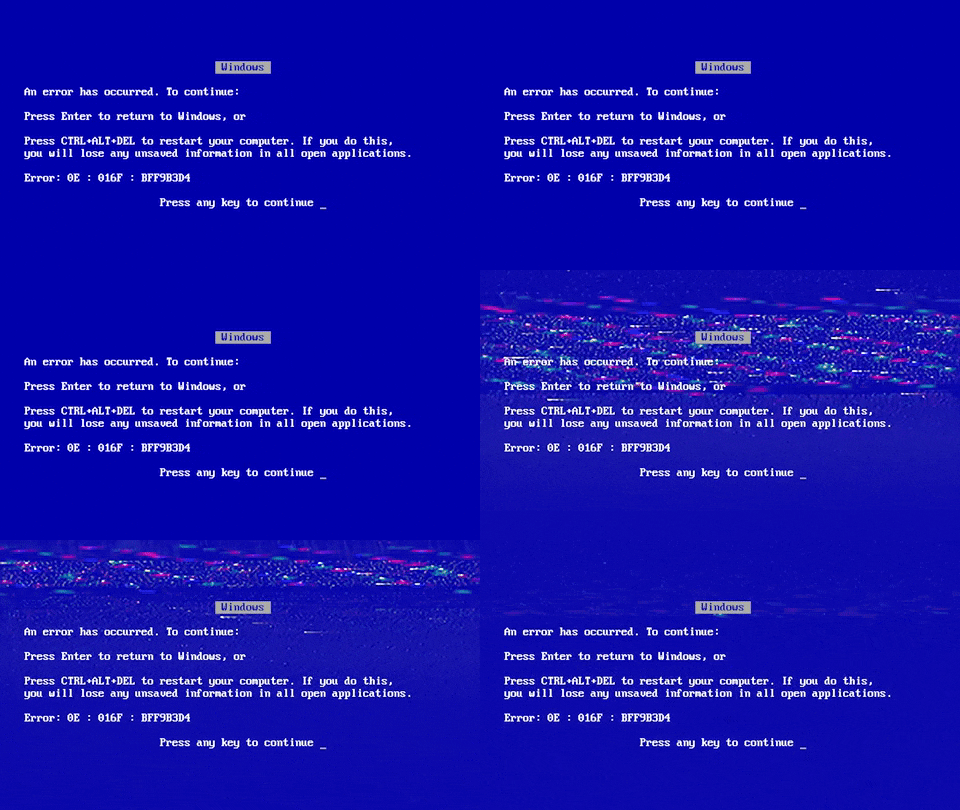
- All old URLs redirect to the homepage. Someone ran a catch-all redirect instead of mapping pages individually. Every search ranking built over years is gone within days as Google re-evaluates the pages and finds them pointing nowhere useful.
- The staging site was indexed by Google. No noindex tag, no robots.txt block. Google crawled the staging environment and flagged duplicate content before the migration was even complete. The live launch started with a penalty already baked in.
- Meta data not transferred. The TYPO3 Yoast extension had SEO titles and descriptions for every page. The migration tool grabbed only the body content and left all meta fields empty. Every page launched without a meta description.
- Custom fields discarded. TYPO3 extensions stored structured data in extension-specific tables. The importer only grabbed the main tt_content body field. All structured pricing data, custom field values, and rich content elements were silently dropped.
- Serialized data corrupted. A URL search-replace was run directly on the database with a simple string replace. Serialized PHP objects with string-length metadata were corrupted. ACF field values, widget configurations, and theme settings broke silently and required a full manual audit to find and fix.
GDPR and Your Data
A TYPO3 database contains personal data: registered user profiles, email addresses, form submissions, comment history. Migrating that data to WordPress means transferring it between systems, which is a processing activity under GDPR. This is not optional to think about.
gConverter acts as a Data Processor under GDPR Article 4(8). The client is the Data Controller. Before any credentials are shared, a Data Processing Agreement (DPA) is signed. For clients who need it, a GC-ExtraSecurity option adds an NDA and processes all data on a dedicated Hetzner EU server in Frankfurt, keeping the data inside the EEA at all times.
All credentials are stored in an AES-256 encrypted vault and deleted within 24 hours of job completion. The database is transferred over TLS 1.3 and stored on an AES-256 encrypted system. All customer data is permanently deleted within 30 days of project completion. Breach notification happens within 72 hours as required by Article 33. Read the full GDPR compliance documentation →

What Clients Say
The technical process matters. So does the experience of working through it.
Went FAR above and beyond to help us work through this project. We are thrilled with the final result and they were professional, great to work with, and responsive every step of the way. Would highly recommend.
Anna P., Wilmington NC – verified review on Customer Lobby, January 2026
There were very few conversion issues on the first pass, and they cleaned it right. Very Impressive.
Stacy C., Katy TX – verified review on Customer Lobby, November 2025

The Bottom Line
TYPO3 built a generation of enterprise websites and deserves credit for that. But the combination of a scarce developer pool, expensive maintenance, a content editing experience that requires specialist training, and documentation the community itself describes as sprawling and conflicting has made it a platform that is harder to justify with each passing year.
WordPress is where the ecosystem is. Where the talent pool is. Where the SEO tools are. And where your marketing team can make updates on a Friday afternoon without filing a ticket.
If your organization runs on TYPO3 and the questions above sound familiar, the migration is more achievable than the technical complexity of TYPO3 might suggest. Every page, every user, every piece of structured data, and every SEO ranking can come with you.